
Motion App: review, pricing and alternatives
What is Motion App?
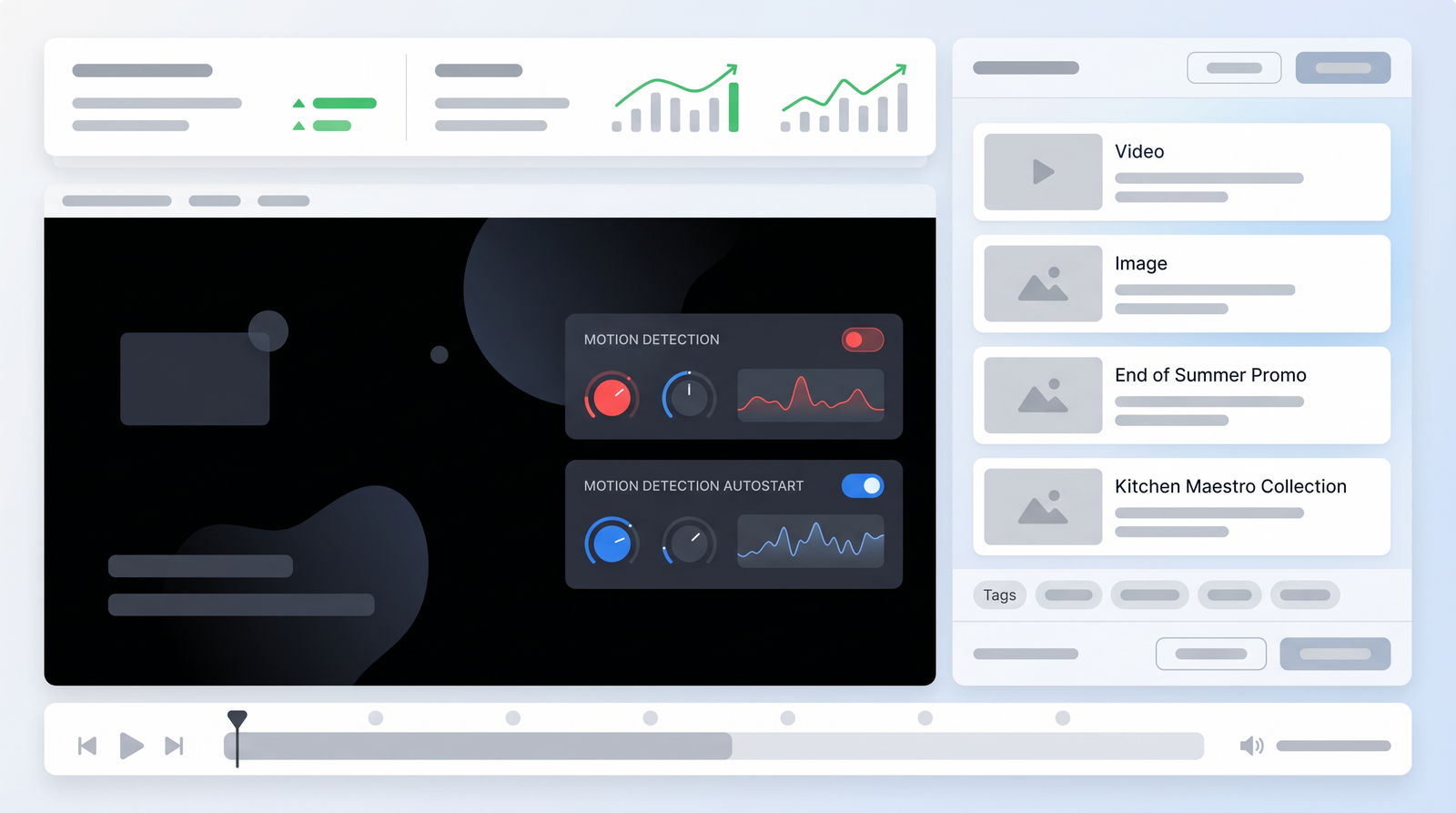
When I first encountered Motion App, I was intrigued by its bold claims and prominent advertising across social media. At its core, Motion positions itself as an AI-powered project, task, and calendar management tool designed to revolutionize how individuals and teams approach their daily schedules. It’s not just another digital planner; its defining characteristic is its intelligent auto-scheduling capability, which promises to take the burden of manual planning off your shoulders.
The concept is simple yet ambitious: instead of you meticulously arranging your tasks and appointments, Motion's artificial intelligence steps in to optimize your day. It aims to save you hours by dynamically allocating time slots for your to-dos, meetings, and projects based on deadlines, urgency, and your calendar availability. Many users, myself included, are drawn to the idea of an app that can truly act as a smart assistant, making real-time decisions about what needs to be done and when, effectively transforming your chaotic to-do list into a structured, actionable calendar.
From my perspective, Motion is trying to solve a common pain point: the constant struggle to balance competing priorities and manage an ever-growing list of tasks. It’s built for those who feel overwhelmed by the sheer volume of planning required in modern professional life. The promise is clear: higher productivity, less stress, and a more organized approach to getting things done, all thanks to its central AI scheduling engine. It aims to be the brain behind your daily operations, allowing you to focus on the work itself rather than the logistics of when to do it.
Key Features & How It Works
Motion App distinguishes itself through a suite of features that revolve around its central AI scheduling engine. The most prominent of these is its AI-driven scheduling. You input your tasks, projects, and meetings, specifying deadlines and priority levels, and Motion's algorithm then intelligently builds your schedule. It doesn't just block out time; it considers dependencies, your availability, and the urgency of each item, creating a calendar that theoretically maximizes your productivity.
Complementing this is dynamic time-blocking. This is where Motion truly shines for many users. If an urgent meeting pops up, or you need to shift priorities, Motion doesn't just leave a gap or create an overlap. Instead, it automatically reshuffles your entire day, moving other tasks to new available slots. It's like having a personal assistant constantly optimizing your schedule in real-time, adapting to changes without you having to manually drag and drop every item. This aggressive time-blocking approach ensures that important tasks are allocated dedicated, uninterrupted work blocks, making it a powerful tool for deep work.
Another critical feature is its multi-calendar integration. For professionals juggling personal and professional commitments across various platforms, Motion offers a seamless solution. It pulls together schedules from Google, Apple, and Microsoft calendars, providing a unified view of your availability. This is incredibly valuable for preventing double-bookings and ensuring that your AI-generated schedule accounts for all your existing appointments. On top of this, it includes a built-in scheduling tool, similar to Calendly, which allows others to book time with you based on your Motion-optimized availability, further streamlining coordination.
Finally, Motion includes robust task management capabilities. While its project management depth has some limitations, as I'll discuss later, it handles individual tasks and recurring to-dos effectively. You can create one-off tasks, set up daily, weekly, or custom repetitive tasks, and link them to projects. Motion then takes these tasks and weaves them into your calendar, ensuring that everything from a quick daily check-in to a multi-hour project component gets scheduled. The system prioritizes what needs to get done based on deadlines and urgency, so when you open the app for the day, you have a clear, pre-planned roadmap of your work.
Pricing & Plans
Motion App comes with a premium price tag, which is often the first point of discussion for potential users. Unlike many productivity tools, there isn't a free tier for ongoing use. However, they do offer a 7-day free trial, which I found essential for understanding if its unique AI-driven approach aligns with your workflow before committing financially. This trial period is crucial, as Motion represents a significant investment.
After the trial, Motion's pricing structure is primarily subscription-based, with different tiers for individuals and teams. The cost can be a bit steep, especially if you opt for monthly billing. For an individual, the monthly plan is quite high, but they offer a notable discount if you commit to an annual subscription. For teams, the pricing is per user per month, again with a lower rate for annual commitments.
My experience, and that of many others, is that the annual individual plan, which often works out to around $348 per year, is a substantial commitment. This makes the question of its value proposition even more critical. When analyzing its cost, it's important to weigh the features it offers against what you'd pay for separate calendar tools, task managers, and potentially a scheduling assistant. While it consolidates many functions, the price point places it firmly in the premium category, making it a serious consideration for those on a tight budget or who only need basic scheduling features.
| Plan | Price | Best for |
|---|---|---|
| Individual (Monthly) | $34/month | Individuals needing maximum flexibility |
| Individual (Annual) | $19/month (billed annually) | Committed individual users |
| Team (Monthly) | $20/user/month | Small teams needing flexibility |
| Team (Annual) | $12/user/month (billed annually) | Committed small to medium teams |
| Enterprise | Custom pricing | Large organizations with specific needs |
Pros of Using Motion App
Having spent considerable time with Motion App, I can attest to several recurring praise points that highlight its strengths. Chief among these is its highly effective aggressive time-blocking. This isn't just about putting tasks on a calendar; Motion genuinely excels at structuring your time around tasks of varying complexity, ensuring you get dedicated, uninterrupted blocks for deep work. For someone like me, who often struggles with context switching, seeing my day neatly organized into focused work sprints has been a game-changer.
The feature that consistently impresses me is its real-time rescheduling. Life rarely goes according to plan, and when something urgent inevitably lands in your lap, Motion's ability to automatically reshuffle everything else is incredibly satisfying. It's like having a tireless assistant who doesn't complain when you blow up the plan mid-morning. This dynamic adaptation means your schedule remains relevant and optimized, even when unexpected events occur, saving you the mental load of constant manual adjustments.
For anyone managing multiple diaries, the seamless multi-calendar merging is a significant advantage. Whether you're using Apple, Google, or Microsoft calendars for different aspects of your life, Motion pulls them all together into one coherent view. This eliminates the headache of checking multiple calendars to determine availability and ensures that Motion's AI has a complete picture when scheduling. The integrated scheduling tool, which functions much like Calendly, further streamlines the process of booking external meetings without conflicts.
Overall, the biggest benefit I've experienced is the sheer power of automation. Motion significantly reduces the time and effort spent on manual planning. It takes your to-do list, your deadlines, and your availability, and simply creates a functional schedule. This frees up mental energy that would otherwise be spent on planning and allows you to focus on execution. For those whose work runs on a repeating rhythm of tasks, such as sales or marketing planning, Motion handles recurring activities exceptionally well, ensuring consistent progress on critical initiatives without constant oversight.
Cons & Limitations
While Motion App offers compelling advantages, it's not without its drawbacks, and these are important to consider given its premium price point. The most frequently cited complaint, and one I certainly echo, is its high price. At hundreds of dollars a year for an individual, it's a significant investment that puts it out of reach for many, especially those who might only need a subset of its features. This cost needs to be justified by a substantial increase in productivity, which isn't a guarantee for everyone.
Another significant limitation I've observed is its limited depth in advanced project management features. While Motion includes elements like Kanban boards and task backlogs, it's not a full replacement for robust project management software like Asana or ClickUp. If your team requires complex workflows, detailed reporting, extensive customization, or intricate dependency management across large projects, Motion might fall short. It's excellent for scheduling individual tasks within a project but less so for managing the project's overall lifecycle with advanced tools.
I also found its approach to sequential task management to be less than ideal. While it handles one-off and repetitive tasks well, there isn't a strong native solution for tasks that must be completed in a specific order before the next can begin. This often requires manual workarounds or a more general interpretation of dependencies, which can be frustrating for projects with strict sequential requirements. Furthermore, the lack of a straightforward method to import existing tasks or projects from other systems can be a significant hurdle. When I first started, I had to manually recreate all my work-related to-dos, which was a time-consuming process.
Finally, there are some integration quirks and specific limitations. While it boasts multi-calendar integration, some users, including myself initially, have experienced issues with certain calendar providers or specific setups, leading to double-booking or needing creative workarounds. There's also a minor, but annoying, limitation with reminders: if you complete a reminder but forget to log it in the app on the same day, you can't go back and mark it off later, which can disrupt the satisfaction of task completion and data accuracy.
Performance & User Experience
When it comes to performance and user experience, Motion App presents a bit of a mixed bag, depending on your prior experience with productivity tools and your specific use case. For many, including myself, the initial adoption can feel surprisingly straightforward. The core interface for adding tasks and linking calendars is generally intuitive, and you can indeed be 'up and running' with basic scheduling within a short amount of time. It's designed to automate, so once you feed it the necessary information, it starts doing its job almost immediately, which feels quite powerful.
However, the potential learning curve for complex usage scenarios is definitely present. While getting started is easy, mastering Motion to fully leverage its AI capabilities, especially for intricate project planning or managing a team with diverse needs, requires a deeper dive. Some users might find themselves needing to adjust their mental models of planning to align with how Motion's AI operates. This isn't necessarily a flaw, but it means that maximizing your investment might involve a period of adjustment and experimentation to truly integrate it into your daily workflow.
In terms of reliability, Motion has generally proven to be a robust tool in daily operation. The automatic rescheduling works consistently, and the calendar integrations, once properly set up, maintain sync effectively. I've found it to be a nearly indispensable tool for keeping my schedule aligned with my priorities. Watching it dynamically adjust my day when a new meeting or urgent task appears provides a sense of calm and control, rather than panic. The app’s advertisements sometimes make bold claims, like being a 'cure for ADHD' or promising to 'save hours per day,' and while I can't fully endorse such hyperbolic statements, I can say that its consistent performance in aggressive time-blocking does contribute significantly to a more focused and productive day for me.
That said, user feedback on support has been varied. While some find it responsive, others have reported less helpful interactions, particularly concerning niche integration challenges. This suggests that while the core functionality is reliable, complex issues might require more persistence. Overall, Motion offers a generally smooth experience that delivers on its core promise of AI-driven scheduling, but be prepared to invest some time in learning its nuances to get the most out of it.
Who is Motion App Best For?
Considering its unique strengths and notable limitations, Motion App truly shines for a specific demographic. It is unequivocally best suited for busy professionals and small teams who are constantly juggling multiple commitments and find themselves overwhelmed by manual scheduling. If your calendar is a battlefield of meetings, appointments, and deadlines, and you crave an automated system to bring order to the chaos, Motion is designed for you.
Its aggressive time-blocking and AI scheduling capabilities excel in environments where consistent focus on high-priority tasks is paramount. Think of individuals in roles that require significant deep work, such as developers, writers, marketers, or consultants, who need dedicated, uninterrupted blocks of time to be productive. If you're someone who often feels like they're reacting to their schedule rather than proactively managing it, Motion can help you regain control by forcing those important tasks onto your calendar.
Furthermore, Motion is an excellent fit for those who are already using multiple calendars across different platforms (Google, Apple, Microsoft) and need a centralized hub. Its seamless integration simplifies managing personal and professional life without the constant fear of double-booking. The built-in scheduling link also makes it ideal for professionals who frequently schedule external meetings, streamlining the process and ensuring availability is always accurate.
However, it's crucial to understand who it's *not* best for. It's not the ideal solution for large organizations needing deep, advanced project management features with intricate reporting, resource allocation, or complex sequential workflows. Nor is it for individuals on a tight budget who might be better served by more affordable or free alternatives if their needs are less about AI optimization and more about simple task tracking. Motion is for those who value their time highly and are willing to invest in a powerful AI assistant to optimize every minute of their day.
Motion App Alternatives & Comparisons
When evaluating Motion App, it's important to understand where it stands in the broader landscape of productivity tools. It often gets compared to a wide range of software, but its core differentiation lies in its aggressive AI-driven scheduling. Unlike general project management software such as Asana, Trello, or ClickUp, Motion's primary focus isn't on comprehensive project tracking, team collaboration features, or intricate workflow automation. While it has elements of task and project management, these are subservient to its scheduling engine.
Traditional project management tools, for instance, excel at providing a bird's-eye view of projects, managing dependencies, assigning tasks to team members, and generating detailed reports. Motion, by contrast, is more about ensuring that the *individual* tasks within those projects actually get done by slotting them into your calendar. If you're looking for a tool to manage a complex product launch with dozens of stakeholders and sub-tasks, a dedicated PM suite would likely be more appropriate. Motion is better at making sure *your* part of that launch gets scheduled and completed.
Another common comparison is with knowledge management platforms like Notion. Notion is incredibly versatile, offering highly customizable databases, wikis, and note-taking capabilities. It's a blank canvas for organizing information and can be adapted for project management, but it lacks Motion's sophisticated AI scheduling. You'd have to manually build out scheduling functionalities, and even then, it wouldn't have the dynamic, real-time rescheduling that Motion offers. So, if your priority is intelligent time allocation over flexible information organization, Motion is the clear choice.
Ultimately, Motion occupies a unique niche. It's a powerful AI productivity tool that prioritizes your calendar and ensures tasks are scheduled effectively. While it has some overlap with other categories, its strength is its intelligent automation of your daily plan. You can see how it stacks up against alternatives on Top10k to better understand its position in the market. If you're looking to automate your schedule and free up mental energy from planning, Motion stands out, but if your needs lean heavily towards deep project management or flexible knowledge organization, you might need to look at other specialized tools or use Motion in conjunction with them.
Is Motion App Worth the Cost? Verdict
After thoroughly exploring Motion App's capabilities, its strengths, and its limitations, the question of whether it's worth its premium price comes down to a clear understanding of your personal and professional needs. For me, and for many busy professionals and small teams, Motion represents a worthwhile investment, but it's not a universal solution for everyone.
Motion's primary value lies in its aggressive time-blocking and real-time AI-driven scheduling. If you consistently struggle with managing an overwhelming number of tasks, frequently find your schedule derailed by unexpected events, or spend too much mental energy trying to plan your day, Motion can be transformative. Its ability to seamlessly merge multiple calendars and dynamically reshuffle your tasks when priorities shift genuinely saves time and reduces stress, allowing for more focused work. For those who benefit from structured deep work periods and automation, the productivity gains can justify the annual cost.
However, it's crucial to acknowledge its limitations. The high price is a significant barrier, and its project management features, while present, lack the depth and complexity required by larger teams or those with intricate project workflows. If you need robust sequential task management, extensive reporting, or highly customizable project views, Motion won't fully replace dedicated project management software. Similarly, if you primarily need a simple task list or basic calendar, more affordable or free alternatives would be a better fit.
Ultimately, Motion is one of the most powerful AI productivity tools on the market, transforming how you manage time and tasks, but it's not a full replacement for advanced project management software.
My verdict is that Motion App is absolutely worth the cost for its intended users: individuals and small teams who prioritize intelligent daily scheduling and task execution over comprehensive project oversight. If you're a professional looking for an AI assistant to optimize your time, streamline your calendar, and ensure your most important tasks get done, the investment in Motion can yield substantial returns in productivity and peace of mind. But if your needs are simpler, or your budget tighter, a thorough trial is essential to ensure it delivers the value you expect.
Full profile and live ranking: https://top10k.com/ai/motion-app
Published by

Discover Top10k Tools — a free online platform offering thousands of free online tools created to make daily work easier.
The toolkit covers a broad mix of SEO tools, converters, dev utilities, and image editors. Everything works directly online, with no sign-up required to start.
Top10k Tools is working toward building 10,000 free mini tools covering nearly every everyday task.
For anyone who works online, you'll find utilities that save time. Start using the tools today.
Frequently asked questions
Is there a free version or plan for Motion App?
No, Motion App does not offer a free version or plan for ongoing use. However, it does provide a 7-day free trial, which allows you to test its features and see if it fits your workflow before committing to a paid subscription.
How much does Motion App cost?
Motion App has a premium pricing structure. For individuals, it costs $34/month when billed monthly, or $19/month if billed annually (totaling $228/year). For teams, the price is $20/user/month for monthly billing, or $12/user/month when billed annually. Custom pricing is available for enterprise clients.
What are the main benefits of using Motion App?
The main benefits of Motion App include its effective AI-driven aggressive time-blocking, real-time rescheduling of tasks and appointments, seamless integration of multiple calendars (Google, Apple, Microsoft), and overall automation of daily planning. It helps users focus on deep work and reduces the mental load of manual scheduling.
What are the biggest drawbacks or limitations of Motion App?
Key drawbacks include its high price point, limited depth in advanced project management features (it's not a full replacement for dedicated PM software), lack of robust sequential task management, and some integration quirks or limitations with importing existing tasks.
Who is Motion App best suited for?
Motion App is best suited for busy professionals and small teams who are overwhelmed by manual scheduling and need an AI-powered assistant to optimize their day. It excels for individuals who benefit from aggressive time-blocking, manage multiple calendars, and want to automate their daily task and meeting schedules.
Can Motion App replace traditional project management software?
No, while Motion App includes some task and project management features, it is not designed to be a full replacement for advanced project management software like Asana or ClickUp. Its primary strength lies in intelligent scheduling and task execution, not comprehensive project oversight, complex reporting, or intricate team workflows.
Is Motion App worth its premium price?
Motion App can be worth its premium price for its intended users: individuals and small teams who highly value automated, AI-driven scheduling, and who can leverage its aggressive time-blocking and real-time rescheduling to significantly boost their productivity and reduce planning stress. For those specific needs, the investment can yield substantial returns.
Does Motion App integrate with other calendar services?
Yes, Motion App offers robust multi-calendar integration. It can pull together and synchronize schedules from popular services such as Google Calendar, Apple Calendar, and Microsoft Outlook calendars, providing a unified view of your availability for its AI scheduling engine.